.png)
If you're using an Epson EcoTank printer to make tattoo stencils, you've probably experienced one of the most common issues: clogged print heads. One day your stencils are coming out crisp and clean, then suddenly your lines are faded, broken, and it seems like your out of ink even though you just refilled your tank.
Do you want the good news or the bad news first?
The bad news: There are several steps you have to take to prevent your ink from drying up in your tank.
The good news: Most EcoTank clogging issues are preventable once you understand why they happen. Plus – Purple Stencil has a solution.
You’re Not Printing Often Enough
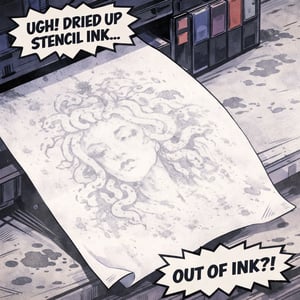
One of the biggest reasons EcoTank printers clog is because they sit idle for too long.
Tattoo stencil ink is more likely to or dry in the print head if the printer sits idle for too long - depending on how much dye is used to formulate the ink. If the stencil ink uses more pigment dye, tiny ink channels become blocked, causing:
-
Faded stencil lines
-
Missing sections in prints
-
Uneven ink flow
What to do: Print a small test stencil at least every 2–3 days to keep ink flowing through the print head, or perform a print head cleaning with regular A4 paper. Also - make sure to not leave the printer on if it’s not being used.
Poor Ink Flow From Aftermarket Ink
Most tattoo artists buy a regular EcoTank printer and 3rd party ink to try convert to use for their tattoo stencil printing using. This will work great – for a period of time. However, most formulas can be too thick or pigment heavy for the EcoTank print head system. If a printer is not built specifically for stencil printing, or if a stencil ink formula is not formulated to sit in a tank, then you will run into print head clogging issues.
What to do: Use stencil ink that is specifically formulated for EcoTank printers rather than generic tattoo ink conversions. Some suppliers will sell EcoTank printers alongside 3rd party ink without understanding the repercussions of the ink and printer not being the right fit for each other. Make sure to stay away from that, too.
Skipping Printer Maintenance
EcoTank printers NEED maintenance cycles to keep the print head clean.
If you start noticing lighter stencil lines and ignore them, the clog can become worse over time. Here are the signs you should run maintenance:
-
Broken stencil lines
-
Missing sections in prints
-
Horizontal banding
What to do: Run a nozzle check. If the pattern shows gaps, follow it with a print head cleaning cycle.
Avoid running too many cleanings in a row though, this can waste ink and fill the waste pads quickly.
Using the Wrong Paper
Paper can also contribute to clogging issues. If you’re using an EcoTank stencil printer, you need to use inkjet grade stencil paper. Thermal paper is thinner and easier to wrap around skin, but it won’t absorb the ink as well. This can:
• Shed fibers
• Absorb ink unevenly
• Leave residue inside the printer
These particles can eventually interfere with the print head.
What to do: It's simple. Use only high-quality inkjet grade stencil paper to guarantee clean transfers and reduce debris inside the printer.
How to Prevent EcoTank Clogs (Quick Checklist)
To keep your stencil printer performing at its best:
✔ Print a small test stencil every few days
✔ Leave the printer powered on in sleep mode
✔ Use EcoTank-compatible stencil ink
✔ Run nozzle checks regularly
✔ Use quality stencil paper
✔ Keep the printer in a stable environment
Purple Stencil’s Stencil Printing Solutions
When we formulated our ink, we took all of these factors into consideration. We’re focused on preventing you – the tattoo artist – from having to buy a new stencil printer every 3 months because the stencil ink you bought dried up and clogged your tank.
Our stencil printers are designed to prevent this from happening.
Our PS-M200 and PS-M250 models aren’t EcoTank, they’re cartridge printers. The stencil ink is filled in a 62XL cartridge, so you don’t have to worry about ink drying or clogged print heads. The print head in these printers IS the cartridge. So each time you get a new one, you’re replacing the print head.
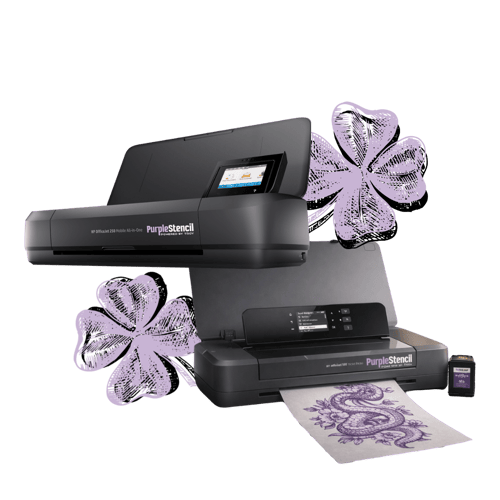
The ink cartridges also allow full portability of your printer, no risk of spills or leaks because the ink is fully sealed.
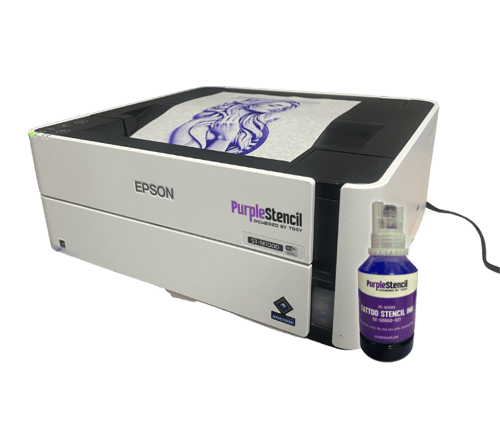
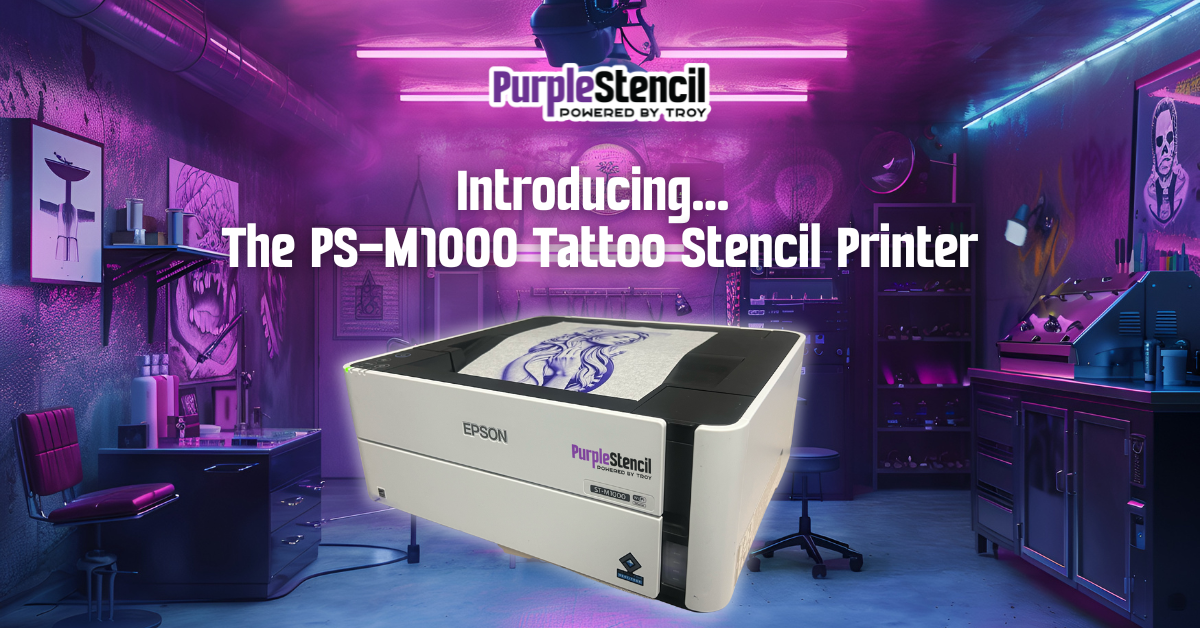
If you’re set on EcoTank, our PS-M1000 is model you need. The PS-M1000 ink is specially formulated in our in-house ink lab to not clog your tank. You should still do print head cleanings, use inkjet grade paper, and use not leave your printer on our idle.
However, Purple Stencil ink is not formulated with heavy pigment dye. The ink still applies beautifully to skin, but uses less dye to keep your tank clean.
If you use EcoTank, be prepared
EcoTank printers are one of the most affordable and flexible ways to produce tattoo stencils, but like any precision equipment, they need proper care. Most clogging issues come down to ink flow, usage habits, and maintenance. With a few small adjustments, you can dramatically reduce downtime and keep your stencil prints sharp. If you're building a dedicated stencil setup, using the right ink and workflow from the start will make all the difference.
Related Posts
Why Your EcoTank Stencil Printer Keeps Clogging
If you're using an Epson EcoTank printer to make tattoo stencils, you've probably experienced one of the most common issues: clogged print heads. One day your stencils are coming..
Purple Stencil Launches Second Desktop Tattoo Stencil Printing Solution for Tattoo Artists
Wheeling, WV – July 25, 2025 - Designed with the needs of tattoo studios in mind, the PS-M1000 combines EPSON’s EcoTank technology with TROY Group’s expertly formulated stencil..
.png)
Leave a Reply